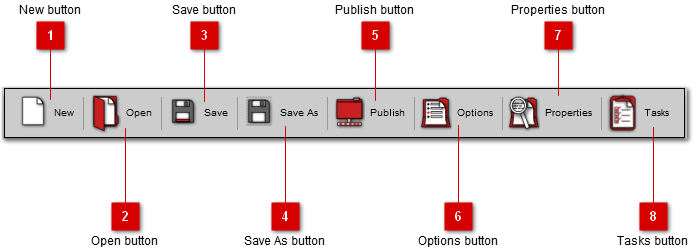
The main toolbar of the application provides access to the most commonly used functions in the application.
 New button
Use this button to create a new blank project.
|
|
 Open button
Use this button to open an existing project.
|
|
 Save button
Use this button to save the current project.
|
|
 Save As button
Use this button to save the current project with a new name.
|
|
 Publish button
Use this button to publish the HTML document from the project.
|
|
 Options button
|
|
 Properties button
|
|
 Tasks button
|
|