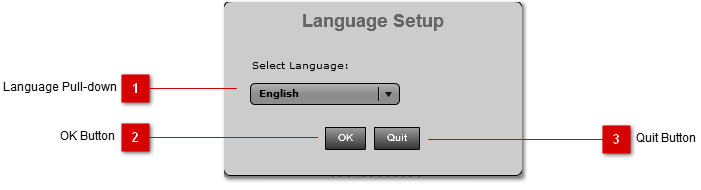
The first time you run RapidCapture, you will be presented with the Language Setup Panel. Choose the default language you will like to use during registration.
If you quit without setting the default language, will be asked to set the language next time the application is ran.
 Language Pull-down
Select your default language from the pull-down.
|
|
 OK Button
Click the OK Button once you have choosen your default language from the pull-down.
|
|
 Quit Button
Click the Quit Button to quit the application without setting default langauge.
|
|