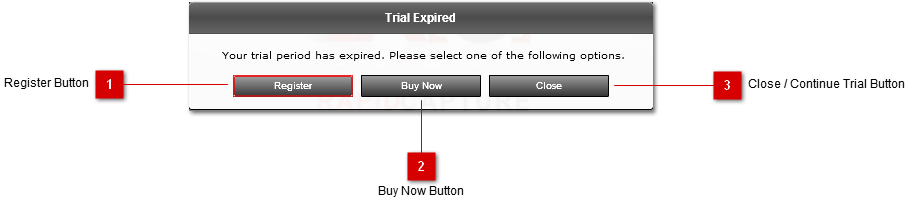
The Registation prompt will appear during start-up if the product has not been successfully registered. It is also always avialable from the "Register..." option in the menu bar. If the trial period has not expired, you will be able to continue the trial.
 Register Button
Click this button to open the Registration Panel
|
 Buy Now Button
Click this button to open the RapidCapture purchase page on the RapidCapture website.
|
 Close / Continue Trial Button
Click this button to close the application, OR if the trial period is not expired, this button will say "Continue Trial", and clicking it will start the application in trial mode.
|
|